
Building a Ubiquitous Connection Engine: How Rendez Was Designed with Adobe Tools for Real-World Event Networking
Updated: Aug 12
Rendez is built for anyone who wants to find events, eliminate digital noise, and create genuine in-person connections. Designed as a universal, privacy-first social networking app, Rendez works seamlessly across any conference, satellite party, local meetup, or community gathering. At major gatherings like Adobe MAX 2026, Rendez serves as an independent companion tool enabling attendees, hosts, and organizers to bypass algorithmic feeds and connect directly through interest-based hashtag profiles and hyper-local 0.5-mile Live Map check-ins.
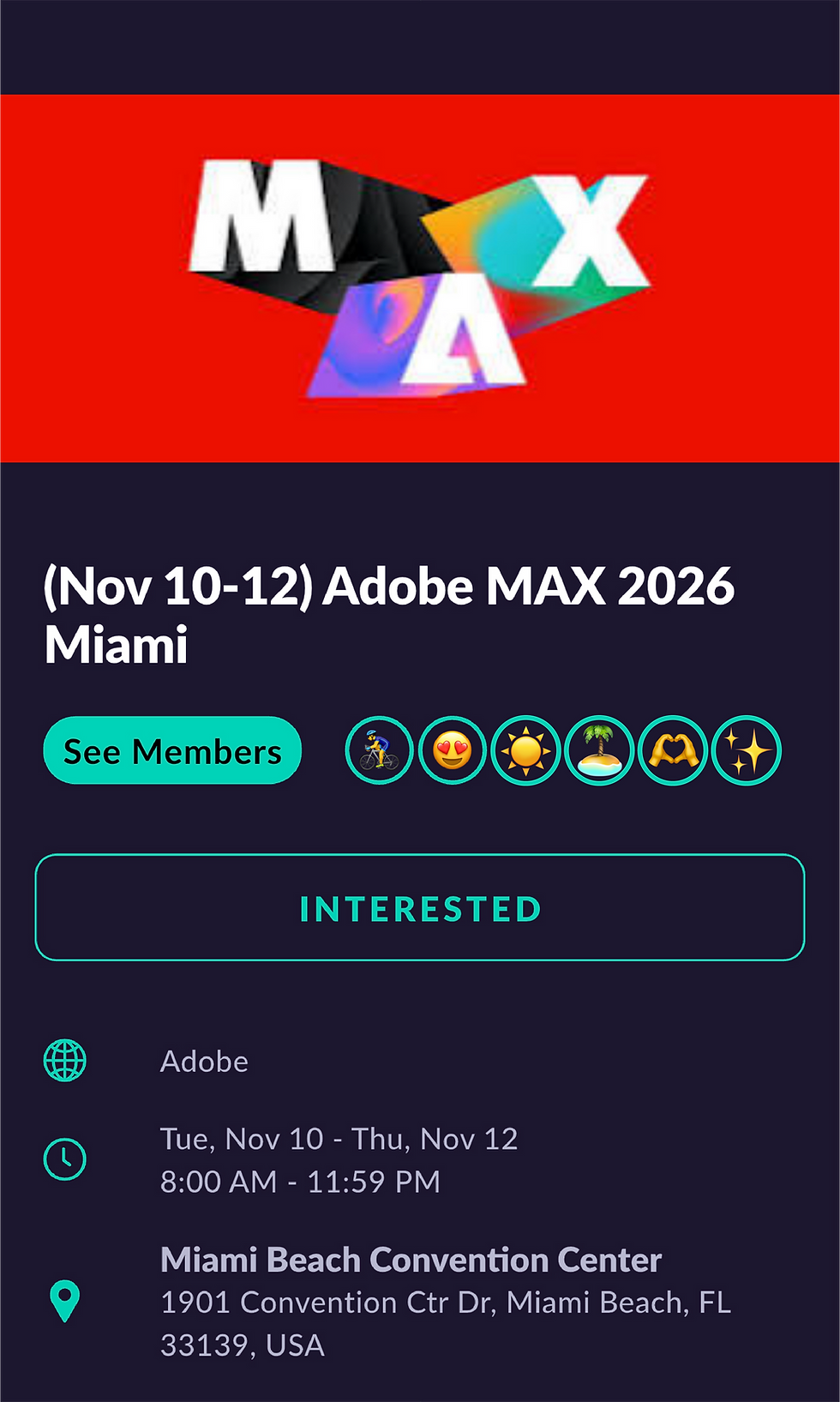
How Attendees Connect at Events Like Adobe MAX 2026
Whether you are attending an enterprise summit or an informal satellite mixer, Rendez replaces awkward icebreakers with structured, interest-driven discovery:
Set Up a Universal Hashtag Profile: Skip the traditional bio. Select hashtags representing your professional tools, disciplines, personal passions, and networking goals based directly on how you want to be known and found by others (e.g., #CreativeCloud, #DesignSystems, #UXResearch, #GenerativeAI, #Startups).
Identify Shared Interests: View profiles of nearby attendees. Green hashtags indicate shared interests you both have in common. Orange hashtags highlight new tools or skills they possess. Tap the + icon next to any orange hashtag to instantly add it to your own profile.
Mark "Interested" to Unlock DMs: Search for "Adobe MAX 2026" (or any event listing) in Rendez and tap Interested. This signals your presence to other attendees and unlocks direct 1-to-1 messaging so you can coordinate meetup spots, session squads, or coffee chats before events begin.
Check In on the Live Map: Upon arriving within a 0.5-mile radius of any venue or satellite gathering, check in on the Live Map to interact with people who are physically present nearby.
Meet in Real Life: Put your phone away and engage in person. Profiles feature zero public photos to prioritize genuine connection; when ready, use the secure Photo Swap feature within direct messages to share a photo safely.
Driving In-Person Foot Traffic for Any Event Host & Partner
Rendez is platform-agnostic and partners with event hosts, brand sponsors, venues, and satellite organizers of all sizes. For anyone hosting a workshop, pop-up lounge, or unofficial side party around major conferences, driving physical attendance and empowering your community to form meaningful connections are the ultimate goals. While traditional social platforms rely on passive algorithmic feeds that encourage screen time over real-world interaction, Rendez is engineered specifically to turn digital interest into physical presence.
Why Event Partners & Sponsors Deploy Rendez:
100% Free & Zero-Friction Setup: Deploys in under 10 seconds. Simply drop your dedicated Rendez deep link into your ticketing site, Luma page, or confirmation emails with zero technical overhead.
Higher Turnout & Attendance: Builds early 1-to-1 social commitment before doors open, helping hosts maximize physical turnout and crowd engagement.
Hyper-Local 0.5-Mile Radius: Reaches attendees physically present at or near your venue to drive real-time walk-in traffic.
Direct 1-to-1 Engagement: Replaces noisy group chats with private, intentional connections that drive high-value meetups.
Privacy-First Partner Analytics: Allows hosts and sponsors to feature branded hashtags (e.g., #SponsorName) and review aggregate interest trends without ever harvesting or selling personal attendee data.Applying Ubiquitous UX Principles: From Low-Fi Flows to Real-World Presence
Connect In Real Life at Your Next Event
Whether you are attending an event to master new workflows, expand your network, or host an official or unofficial community meetup, Rendez provides the infrastructure to turn digital connections into real-world collaboration.
For Attendees: Download Rendez on iOS & Android to build your hashtag profile and connect with the design community at Adobe MAX 2026.
For Event Hosts & Sponsors: List your satellite event, party, or workshop on the Rendez Event Submission Form or contact admin@joinrendez.com to explore brand partnerships.
Note: Rendez is an independent platform and is not officially affiliated with or endorsed by Adobe Inc. "Adobe" and "Adobe MAX" are trademarks of Adobe Inc.
Behind the Design: Designing Rendez with Adobe Creative Tools
Translating digital intent into real-life human connection requires an agile UX foundation, platform-agnostic design principles, and unified asset systems. Built independently using Adobe Illustrator, Photoshop, Creative Cloud Libraries, and Adobe Express, Rendez was designed from the ground up to power both the mobile app UI and a complete suite of event marketing collateral.
Event & Design Ecosystem Overview
Target Audience: Everyone looking to network, discover events, and meet in person, including UX/UI Designers, Creators, Founders, Developers, Event Hosts, and Brand Sponsors.
Featured Use Case: Adobe MAX 2026 (Independent Event Companion)
Design & Production Stack: Adobe Creative Cloud Libraries, Premiere Pro, After Effects, Illustrator, Photoshop
Marketing & Social Engine: Adobe Express (Social Media Post Content & Graphics)
Connection Technology: Hashtag Profiles (#DesignSystems, #GenerativeAI, #Startups, #Networking), 0.5-Mile Live Map Check-in
Host & Brand Outreach: Event Submission Form & Sponsorships (contact: admin@joinrendez.com)
Applying Ubiquitous UX Principles: From Low-Fi Flows to Real-World Presence
The design methodology behind Rendez stems from a core UX philosophy: software should serve as an invisible facilitator of real-world experiences, not an endless attention trap. The product strategy was built around solving a universal physical networking problem: How do you help attendees at any event find their community quickly, safely, and without forced small talk?
1. User Flows Before Visuals
The design architecture began with mapping out the "happy path" of an event-goer. Rather than jumping straight into visual interfaces, the primary user flow was structured around three intent-driven steps:
Discovering shared interests without reading lengthy bios.
Signaling attendance ahead of time to initiate 1-to-1 conversations.
Checking in locally within a 0.5-mile radius to meet face-to-face.
2. Platform-Agnostic, Ubiquitous UI
In alignment with modern UX standards, Rendez was engineered with a device-agnostic approach. Whether an attendee opens the app on iOS or Android, the interaction models, such as tapping orange hashtags to expand interests or checking in via the Live Map, remain identical. By standardizing component behaviors and relying on responsive layout constraints, the interface delivers a consistent experience across all mobile screen densities without requiring platform-specific redesigns.

Connected Design Workflows: Designing the App & Marketing Engine with Adobe Tools
Maintaining a centralized asset architecture is critical when scaling both product design and multi-channel marketing campaigns. Rendez leveraged Adobe's design suite to bridge independent app production with event marketing execution.
SVG Vector Systems in Adobe Illustrator
Every UI component, navigation icon, and Live Map marker in Rendez was designed in Adobe Illustrator as an SVG asset. Working in Illustrator ensured that icon scaling, line weights, and export specs remained crisp across all screen sizes and printed promotional materials.

Color Tokens & Asset Management in Photoshop & CC Libraries
Brand consistency relies on unified tokens. Core color palettes (such as shared-interest Green #28A745 and discoverable-interest Orange #FF8C00), typographic hierarchies, and UI assets were organized across Photoshop and CC Libraries. When crafting visual backgrounds or promo graphics, designers pulled synchronized tokens straight into Photoshop to maintain absolute visual alignment between the in-app screens and external marketing collateral.
Social Media Content Design via Adobe Express
To drive online engagement and event awareness, Rendez leverages Adobe Express specifically to design social media posts and promotional graphics. By combining core brand assets, logos, and custom color tokens inside Adobe Express, the team quickly creates branded social posts, graphic assets, and event announcements for our channels.


